
Quantization Techniques for Mobile Models
Learn how to reduce model size by 80% without losing accuracy. Covers post-training quantization, quantization-aware training, and per-channel optimization strategies.
Read ArticleWhich framework should you choose? We break down deployment complexity, model compatibility, and performance across different edge devices.
You're building an edge AI application and you've narrowed it down to two frameworks. TensorFlow Lite and ONNX Runtime both promise fast inference on constrained devices. But they're fundamentally different tools, and choosing the wrong one can cost you weeks of rework.
We're not here to tell you there's one "best" option. Instead, we'll walk through the actual tradeoffs you'll face — the model conversion headaches, the hardware support, the deployment workflows. This guide focuses on what matters when you're actually shipping code to real devices.

TensorFlow Lite is Google's stripped-down runtime built specifically for mobile and embedded systems. It's lightweight, tightly integrated with TensorFlow's training ecosystem, and it's been around since 2017. You train in TensorFlow, convert to .tflite format, and deploy.
ONNX Runtime is Microsoft's answer to framework fragmentation. It's runtime-agnostic — meaning it can load models from PyTorch, TensorFlow, scikit-learn, and dozens of other frameworks if they're converted to ONNX format. That flexibility comes with a tradeoff: it's less specialized for any single domain.
Here's the key difference in practice: TensorFlow Lite assumes you're working within the TensorFlow ecosystem. ONNX Runtime assumes you want to swap frameworks without rewriting your inference pipeline. Both are legitimate approaches. It depends on your constraints.
Converting models is where you'll spend most of your debugging time. Let's be honest about what you're facing.
The TensorFlow TFLite pipeline is direct. You've got the TFLiteConverter tool built into TensorFlow, and it understands your model's architecture because it was trained in TensorFlow. Most models convert smoothly in 30-90 seconds.
But "most" isn't "all." Custom operations, experimental layers, and certain quantization schemes can cause converter errors. You'll see cryptic messages like "Unsupported builtin op: CUSTOM_OP_1." When that happens, you're rewriting parts of your model or working around the limitation with post-processing.
ONNX conversion is more flexible but less predictable. You can convert from PyTorch, TensorFlow, XGBoost, and others. The ONNX spec is an open standard — it's been designed to handle multiple frameworks' quirks.
That said, conversion quality depends on which framework you're coming from. PyTorch ONNX is mature and reliable. TensorFlow ONNX is solid. But if you're using a less common framework, you might find operator mappings are missing or incomplete. You'll end up writing custom converters.
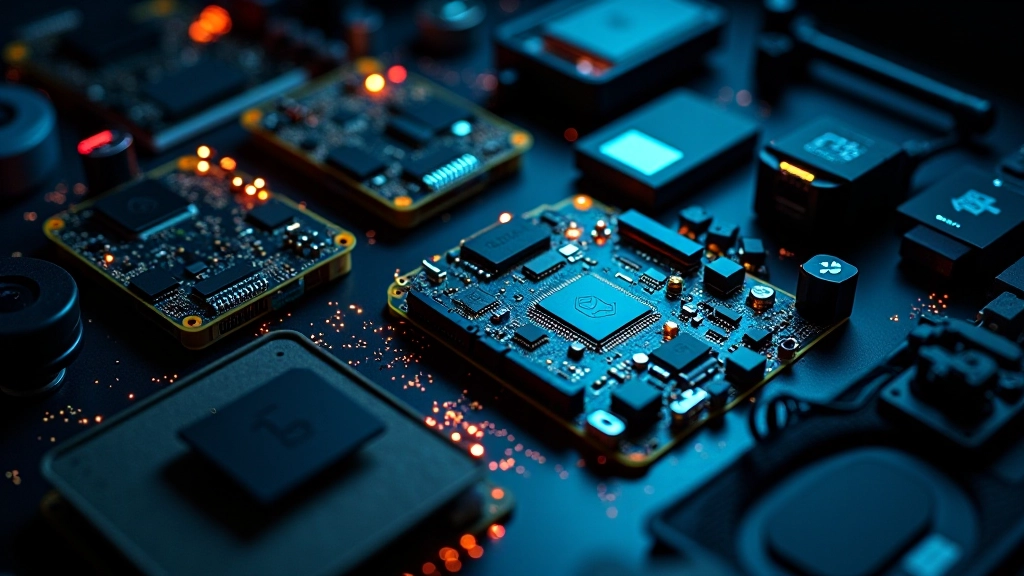
Performance comparisons between TensorFlow Lite and ONNX Runtime vary widely depending on hardware, model architecture, and optimization settings. We're sharing technical information for educational purposes. Always benchmark on YOUR target devices with YOUR actual models before making a framework decision. Real-world results differ from synthetic benchmarks.
TensorFlow Lite has native support for ARM processors, which power most mobile devices. It's optimized for Cortex-A and Cortex-M series chips. You get GPU acceleration through Metal on iOS and OpenGL ES on Android. Neural processing units (NPUs) are supported through the NNAPI on Android devices.
ONNX Runtime is broader but less specialized. It supports x86, ARM, WebAssembly, and more. You can run ONNX models on desktop, mobile, and IoT devices. Hardware acceleration works through CUDA (NVIDIA GPUs), CoreML (iOS), NNAPI (Android), and DirectML (Windows).
In practice, here's what matters: TensorFlow Lite squeezes more performance out of constrained ARM devices because it's purpose-built for them. ONNX Runtime shines when you need portability across platforms and you're willing to sacrifice some per-platform optimization.

Bundle the .tflite file with your app. On Android, you're using the TensorFlow Lite Java API or C++ API. On iOS, you're using Swift or Objective-C bindings. The runtime is small — about 500KB base — so it's feasible on memory-constrained devices. You've got clear documentation and lots of examples because Google maintains tight integration across the stack.
Bundle the ONNX model file and the ONNX Runtime library. The runtime is larger — typically 2-4MB depending on accelerators — but still reasonable for most devices. You're using language bindings: Python, C#, JavaScript, C++, or Java. Documentation is comprehensive, but less platform-specific than TensorFlow Lite, so you might need to dig into GitHub issues more often.
The TensorFlow Lite workflow feels more streamlined because you're staying within Google's ecosystem. ONNX Runtime requires more setup, but that setup buys you framework flexibility. If you're mixing models from different training frameworks, ONNX Runtime eliminates the need for multiple inference engines.
Honestly, both frameworks will work for most edge AI applications. The difference is in the details — conversion complexity, runtime size, platform integration, and long-term maintenance. You're not choosing between "good" and "bad." You're choosing between two different philosophies. TensorFlow Lite says "we'll optimize everything for mobile." ONNX Runtime says "we'll stay flexible across platforms." Neither is wrong. It depends on what your project actually needs.

Editorial Team
Written by the LatencyLabs editorial team, focused on clear, practical guidance for edge AI deployment.
Deepen your understanding of edge AI deployment
Learn how to reduce model size by 80% without losing accuracy. Covers post-training quantization, quantization-aware training, and per-channel optimization strategies.
Read Article
A practical comparison of NVIDIA Jetson, ARM processors, and Intel options. Includes cost analysis, power consumption, and availability in the Ottawa region.
Read Article
End-to-end walkthrough of a production edge system. Covers data collection, model optimization, latency tuning, and monitoring strategies for live inference.
Read Article